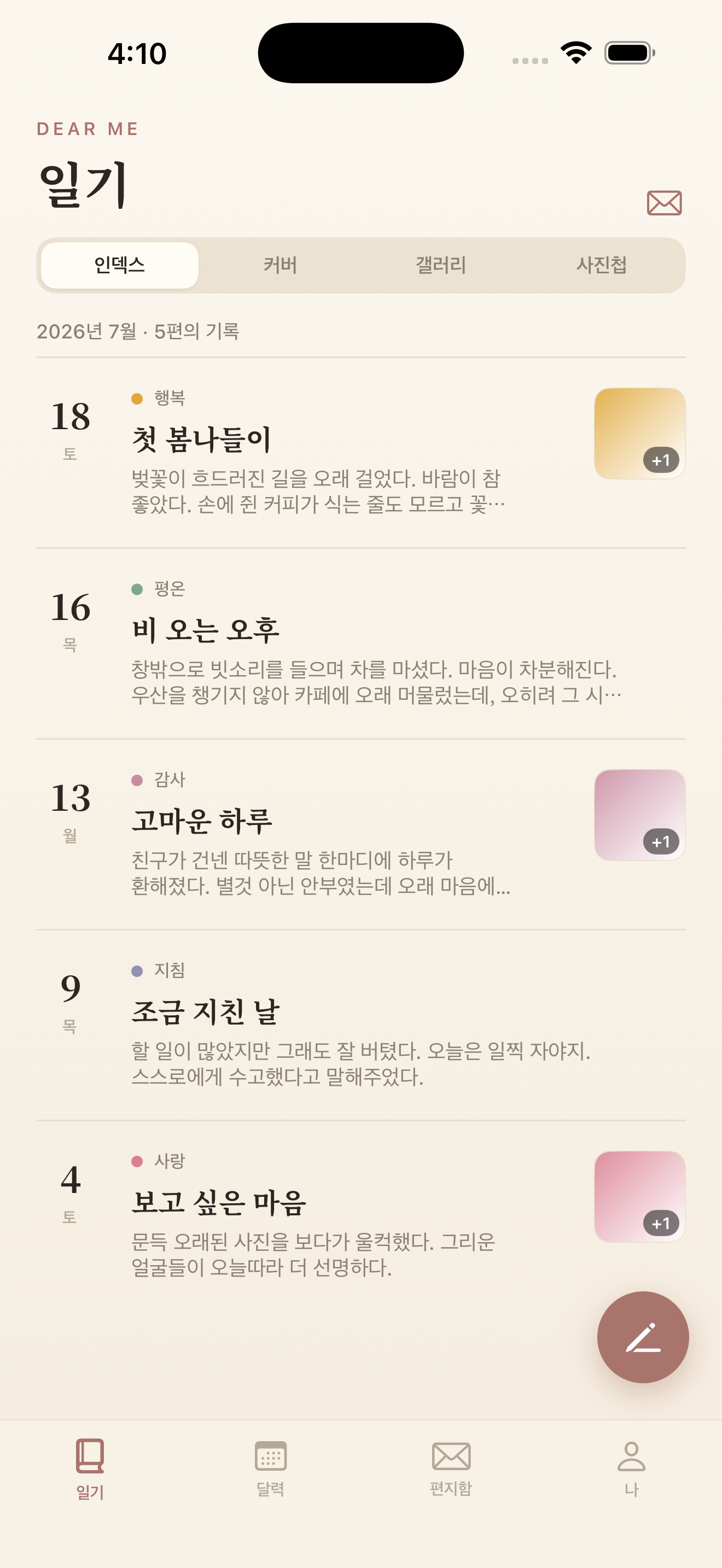
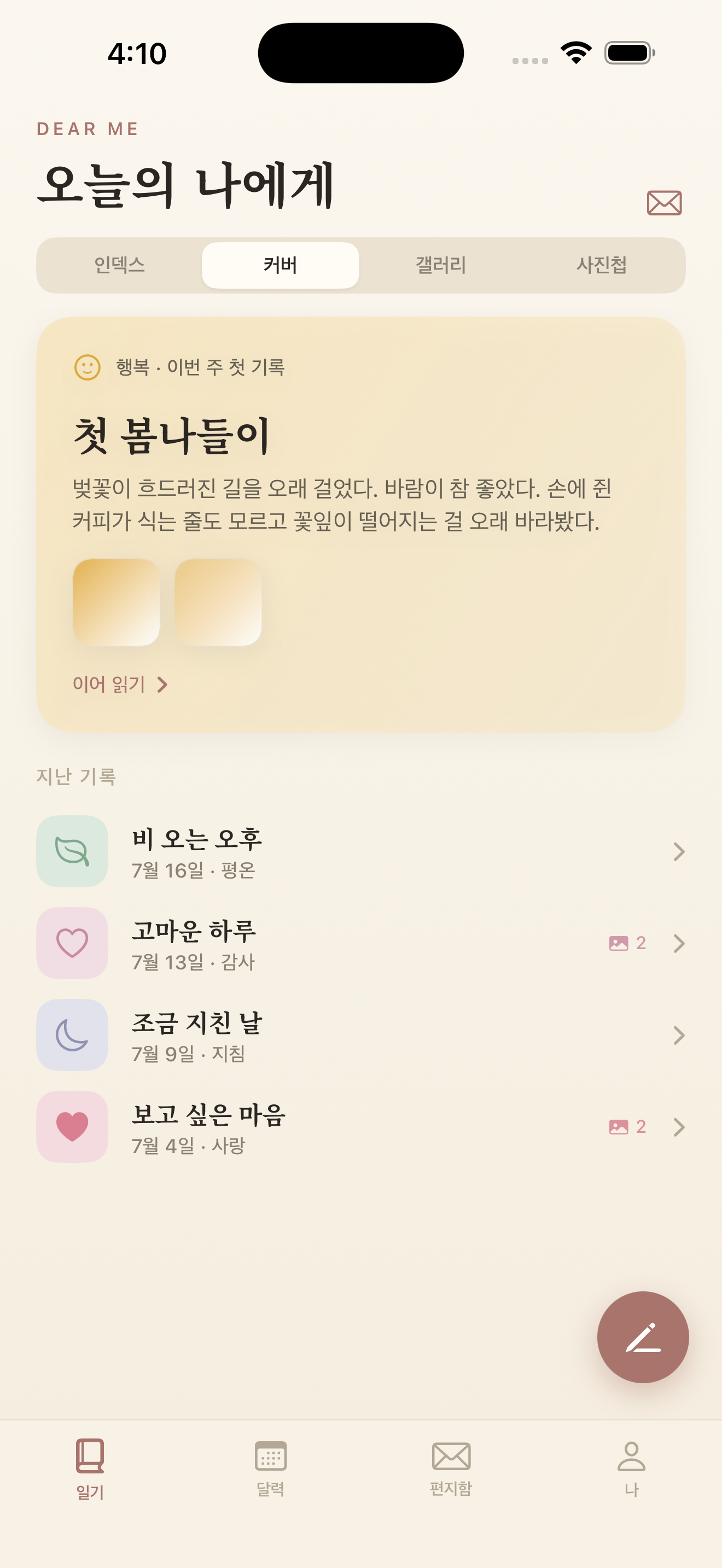
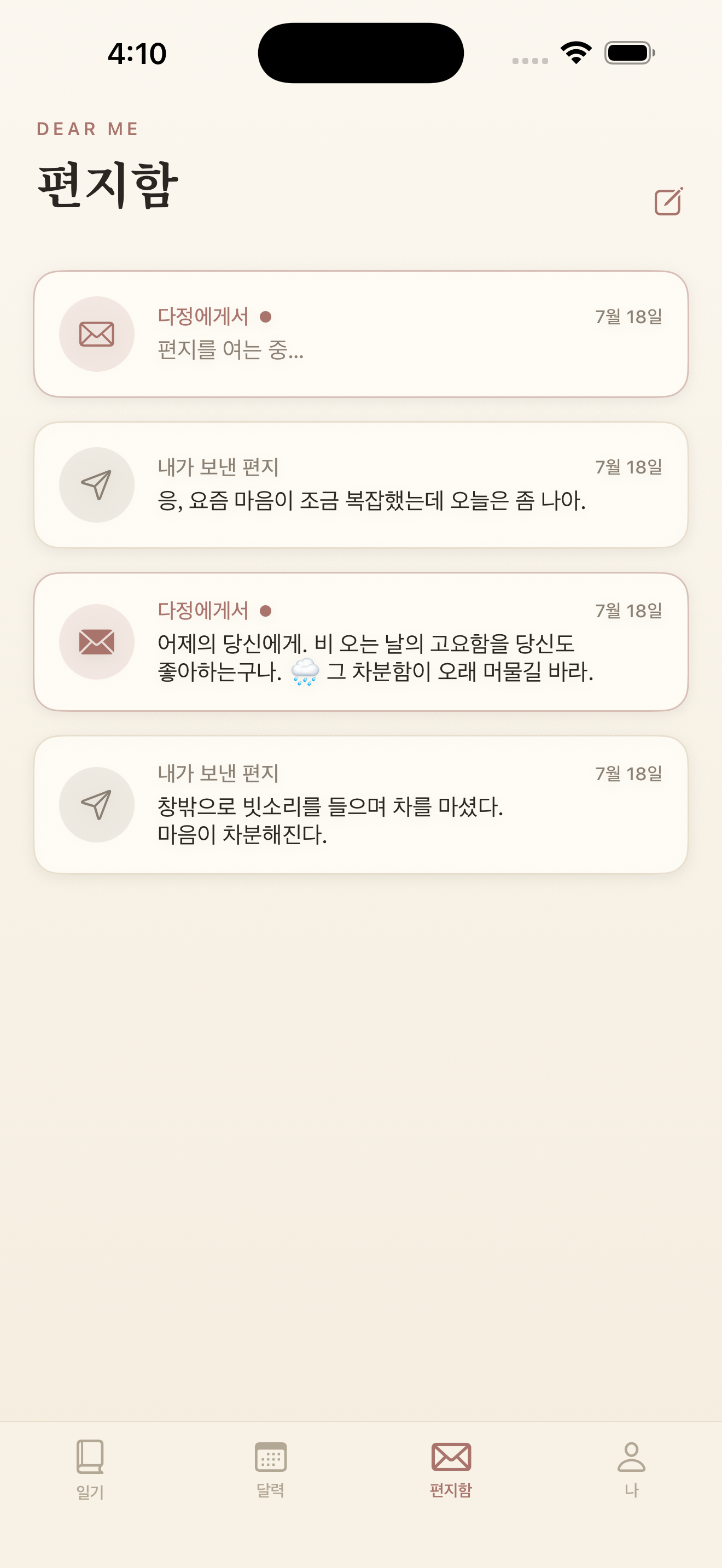
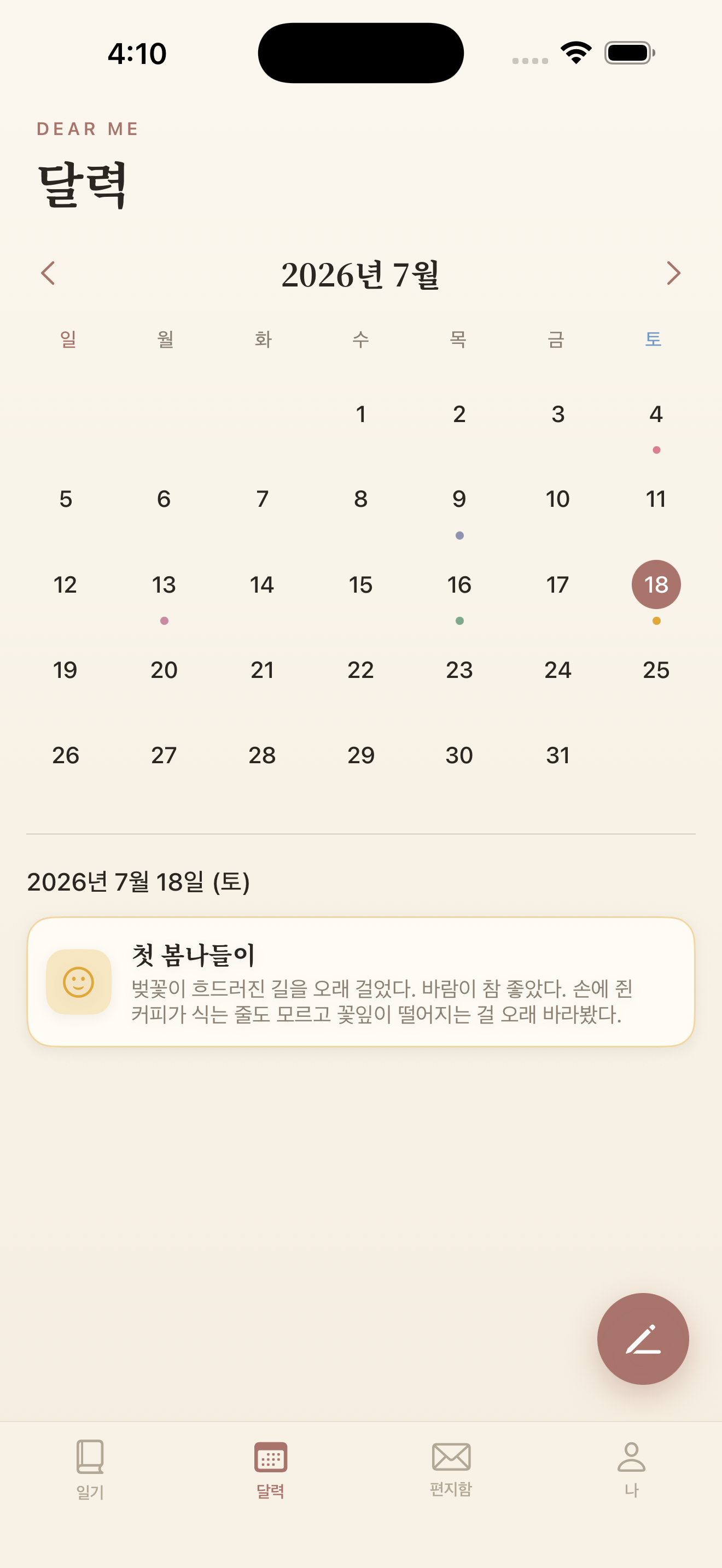
Write your day on warm paper, and a day later a letter arrives from your friend. Entries stay on your device and in your own iCloud.
Download on the App Store iPhone · iPad · iOS 17+ · Letters require iPhone 15 Pro or later
Tomorrow, your friend replies to today’s entry. The letter is written by Apple Intelligence on your device and remembers what came before. Choose per entry whether to get a reply — or switch the feature off entirely.
List, shelf, drawer. Skim by date, flip through covers one entry at a time, or browse cards with the photo on top — whichever suits the day.
Happy, calm, grateful, loved, neutral, tired, sad, angry — eight feelings as colors and icons, and a month of them on the calendar.
Pick one of four — Bom, Dajeong, On, Sol — or shape your own pen pal’s name, character, and voice. The tone of every reply follows.
Add several and choose the one that leads. Set each photo large or small, above or below the words, and tap to look closer.
Search past entries by title, by what you wrote, or by mood.
Face ID or Touch ID — your device passcode if neither — keeps the diary closed. No separate password to create, and none to forget.
Save entries, letters, and photos as one file, and bring them back anytime. Moving to a new device means moving that one file.
.ttf or .otf file.No sign-up, no ads, no tracking. Entries, letters, and photos live on your device and in your own private iCloud — no one else can read them, the developer included. The replies are written on the device too.
Not to the developer, no. There is no sign-up and no server run by the developer. Entries, photos, and letters sync through your own iCloud so you can carry on across devices — and because that iCloud is yours, the developer cannot read it. The replies are written by Apple Intelligence on the device itself.
Write an entry today and your friend replies a day later. Letters need a device that supports Apple Intelligence — iPhone 15 Pro or later. Everything else (diary, photos, calendar, search, lock) works on any supported device.
It is free. There are no in-app purchases, no subscription, and no ads. It runs on iPhone and iPad with iOS 17 or later.
On the same Apple Account it carries over through iCloud. Separately, you can back everything up as a single file — entries, letters, and photos — and restore from it whenever you like.
Pick serif, rounded, or default, or upload your own font as a .ttf or .otf file. Six paper backgrounds and five app themes are yours to choose too.
Yes. Turn on App lock in Settings and Face ID — or Touch ID, or your device passcode — opens the diary. There is no separate password to create, so there is none to forget, and the app never stores anything about it: the device does the checking. Choose how soon it locks: immediately, after a minute, or after five. Your device needs a passcode set for this to be available.
Write down today’s heart, and you can meet it again a long time from now.
Get it free on the App Store